Voice conversations
Speak to Nino and hear her reply aloud. Choose GPT-SoVITS running locally or configure Fish Audio for speech output.
↗Nino is an expressive desktop AI companion. Talk with her, watch her react, bring your own VRM avatar, and make her space feel like yours.
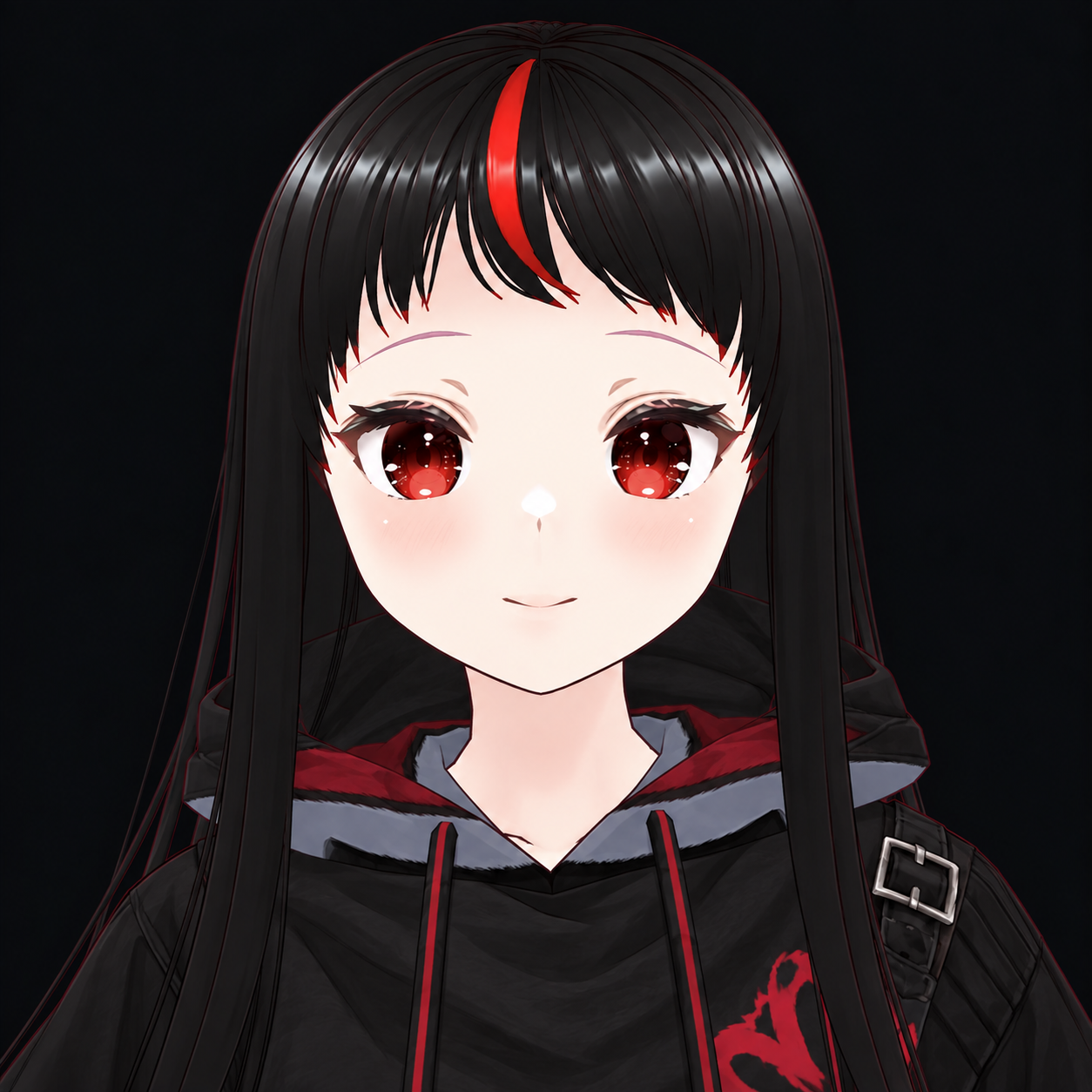
Choose how Nino looks, sounds, moves, and chats. The desktop app brings the pieces together in one customizable space.
Speak to Nino and hear her reply aloud. Choose GPT-SoVITS running locally or configure Fish Audio for speech output.
↗Use the included avatar or import VRM 0.x and VRM 1.0 models stored on your computer.
↗Choose available animations and expressions to give your avatar more ways to react.
↗Set a 2D background image and adjust the look with themes and appearance controls.
↗Switch from the 2D scene to an open 3D environment for your avatar.
↗Create character profiles with their own names, persona instructions, avatar choices, and conversation history. Adjust Nino’s personality and preferences in settings.
Keep conversation history and memory on your computer, with controls to manage or clear what the app keeps.
Choose from available outfits and appearance options for supported avatars.
↗Show or hide on-screen captions while Nino speaks.
↗Play included sound clips from the app’s soundboard.
↗Adjust the color theme, captions, voice and other preferences. The desktop app includes privacy and language-filter controls. History and provider settings are stored locally; when you choose an online AI provider, your prompts are sent to that provider.
She talks back. She has opinions.
She’s still very much Nino.
Choose a supported chat provider in the desktop settings. You provide its API key, or connect a compatible local server.
Provider accounts, API keys, and usage charges are managed by you and may cost extra. Keep API keys private; don't share them with anyone.
The browser demo is an easy way to explore Nino. The desktop edition adds local avatar, voice, scene, and character controls.
Try the browser version at test.ninoai.org. It includes browser-compatible parts of Nino’s experience.
Use VRM avatars, 2D or 3D scenes, animation controls, voice options, and character profiles.
Choose an AI provider and voice service. Some providers need accounts, keys, or a local service.
No required subscription is planned. External AI and voice provider usage may have separate costs.
One-time payment · future versions included
One package with Nino’s full desktop experience: a desktop pet, voice conversations, customizable avatars and scenes, animations, and distinct characters. AI and voice provider usage may have separate costs.
PayPal checkout is being configured. No payment will be taken until it is enabled.
This key is shown here after verified payment. Copy and save it; it can activate one computer.
She can be sweet, smug, or just a little dramatic. Go on, see what she says.
“You’re here. I mean… obviously I noticed. Don’t make a big deal out of it.”— NINO, PROBABLY
Nino is a Windows desktop AI companion with voice, customizable VRM avatars, animation and expression controls, and 2D and 3D scenes. A browser demo offers a subset of browser-compatible features.
The demo mirrors browser-compatible parts of the app, including VRM avatars, 2D and 3D scenes, backgrounds, animation and expression selection, browser speech, captions, themes, and personality preferences. It does not run the desktop app or its local services.
Desktop voice setup uses either a locally running GPT-SoVITS service or Fish Audio credentials and a voice ID. Browser speech features use your browser’s microphone and audio support.
Current desktop choices include OpenAI, OpenRouter, Groq, Together AI, Mistral, Grok, Gemini, Claude, DeepSeek, and an OpenAI-compatible local server. You supply your own provider account or local service; provider charges may apply.
Nino Desktop is planned as a $15 one-time lifetime license, including future versions. PayPal checkout and license delivery are being configured; purchases are not available until checkout is enabled.
The desktop edition stores conversation history, memory, and provider settings locally. If you use an online AI provider, your prompts are sent to it and are subject to that provider’s terms. Browser demo conversations stay in page memory only and aren’t saved by this site.
No. Discord and other private integrations are not part of the public desktop edition.
Try the browser demo and see what you think.
Meet Nino ↗